VeeHive Platform
VeeHive.ai is a community-first media platform where creators build focused communities around their content. I led product and interaction design from discovery through PWA launch, tackling three interconnected problems: helping audiences find and consume content, giving creators tools to grow, and enabling moderators to keep quality high at scale.
7 Months
Discovery to Launch
Full PWA shipped
73%
Faster Moderation
Review time reduced
30%
Faster Delivery
Via design system reuse
8+
Usability Tests
Across key flows
My role
Lead UI/UX Designer, end-to-end: user research, interaction design, high-fidelity prototypes, design system, and design QA. Daily coordination with Product, Engineering, and CX.
Timeline
7 months from discovery to PWA launch, with continuous iteration and feature delivery post-launch.
Tools & tech
Figma, JIRA, Design systems
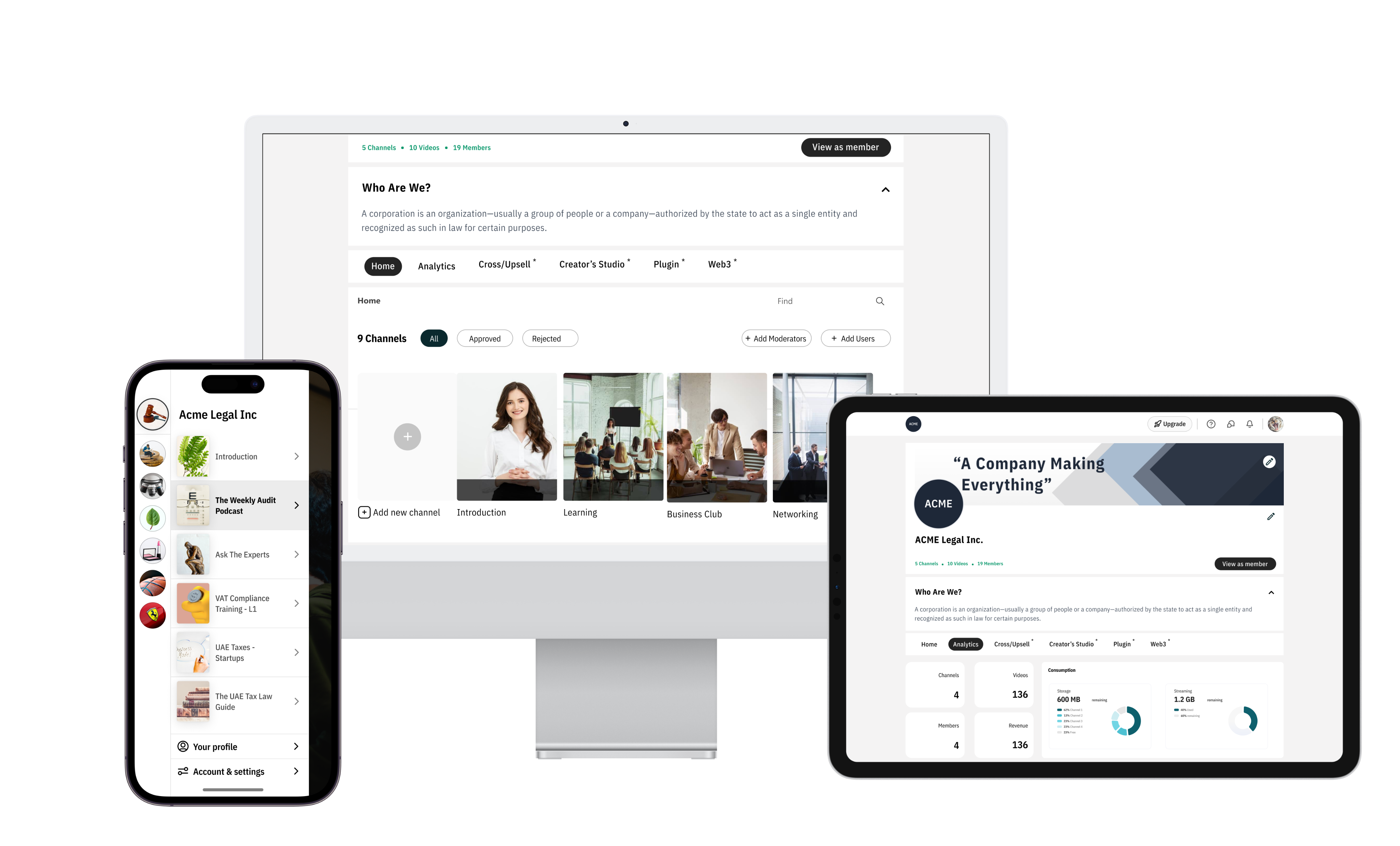
VeeHive.ai — mobile feed, creator dashboard, and moderation workflows
The problem
What we set out to solve
Content creators who want to build focused communities don't have a reliable platform. Social networks like TikTok and Instagram drive passive consumption, but they don't foster community, enable knowledge sharing, or give creators real moderation and monetization tools. VeeHive needed to solve all three — for creators, audiences, and moderators.
Designing for three distinct user types (creators, audience members, moderators) with different goals
Appealing to both video-heavy and text-heavy content consumption patterns
Mobile-first audience with varied network conditions — performance and offline behavior were priorities
Balancing content discoverability with personalization without overwhelming new users
Building analytics and tooling for creators and moderators from scratch
Mobile-first Feed & Discovery
The existing mobile app was functional but confusing — unfamiliar UI patterns created a steep learning curve, and loading all channel images at once caused performance issues on slower connections.
Process
- Benchmarked TikTok, Slack, Discord, and WhatsApp to identify familiar patterns audiences already understood
- Adopted a TikTok-inspired vertical feed for video content and a Slack-inspired channel list for navigation
- Designed progressive loading to prioritize visible content and defer heavy assets
- Added topic chips and follow suggestions to help new users find relevant communities quickly
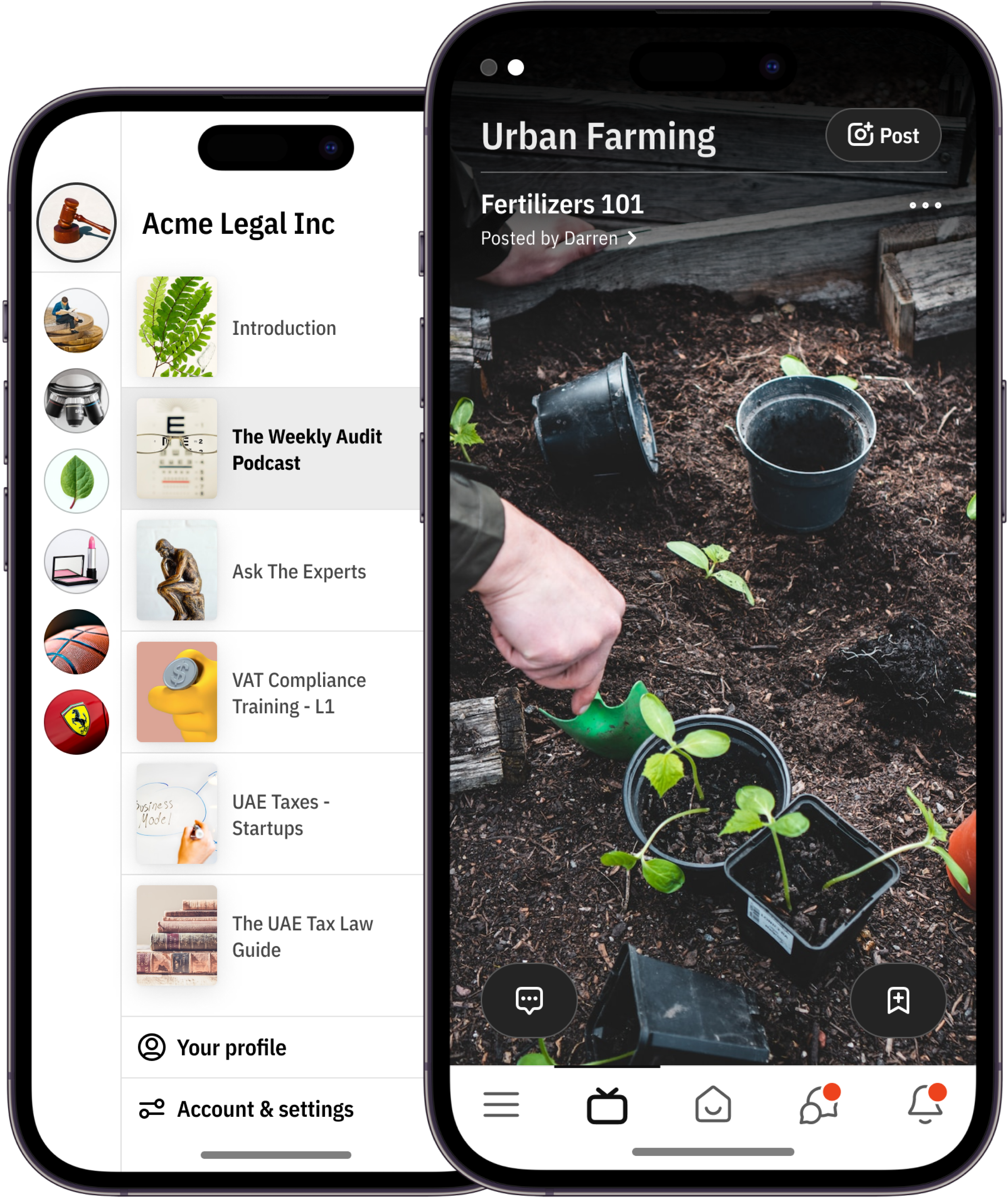
Redesigned mobile feed — familiar swipe patterns, channel navigation, and progressive content loading
Creator Tools & Onboarding
Creators had no visibility into how their content performed, and the monetization setup was confusing — leading to drop-offs during onboarding and low creator retention.
Process
- Designed a step-by-step onboarding flow that guided creators through profile setup, channel creation, and monetization configuration
- Built an analytics dashboard showing top-performing posts, engagement trends, and conversion metrics
- Ran 8+ usability tests to refine the content upload flow and reduce friction points
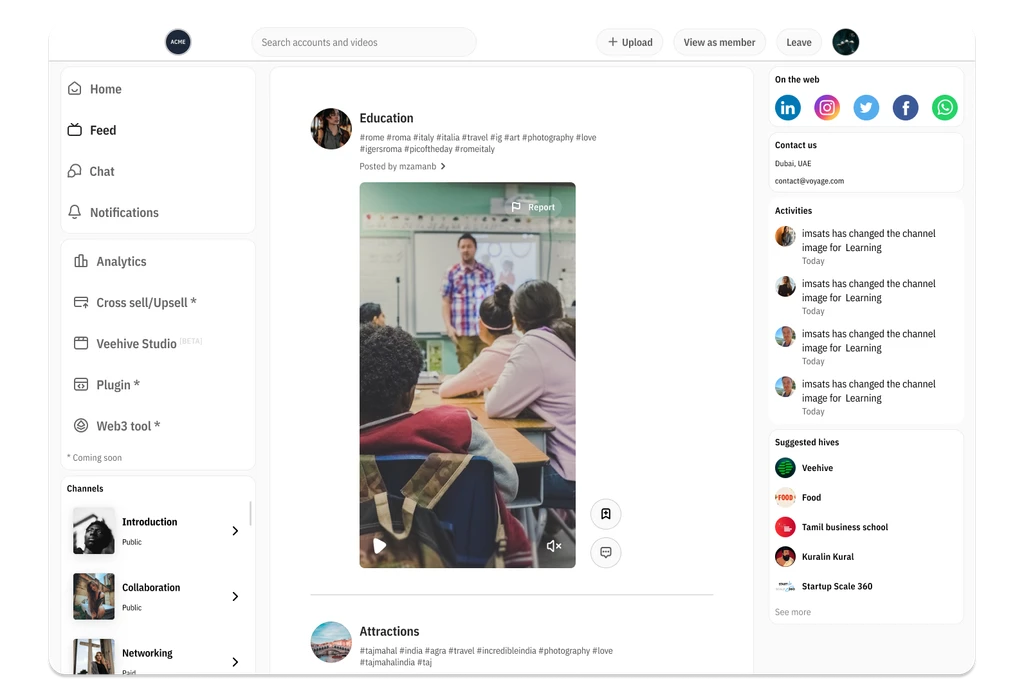
Creator dashboard — onboarding flow, content analytics, and monetization setup
Moderator Dashboard & Workflows
Community quality depended on moderators manually reviewing every flagged post — a process that didn't scale. As communities grew, review backlogs piled up and response times suffered.
Process
- Designed a prioritization queue combining automated flags with manual review to surface the most critical issues first
- Built batch review actions — approve, reject, or escalate multiple items at once
- Added assignment workflows so community owners could delegate moderation across channels
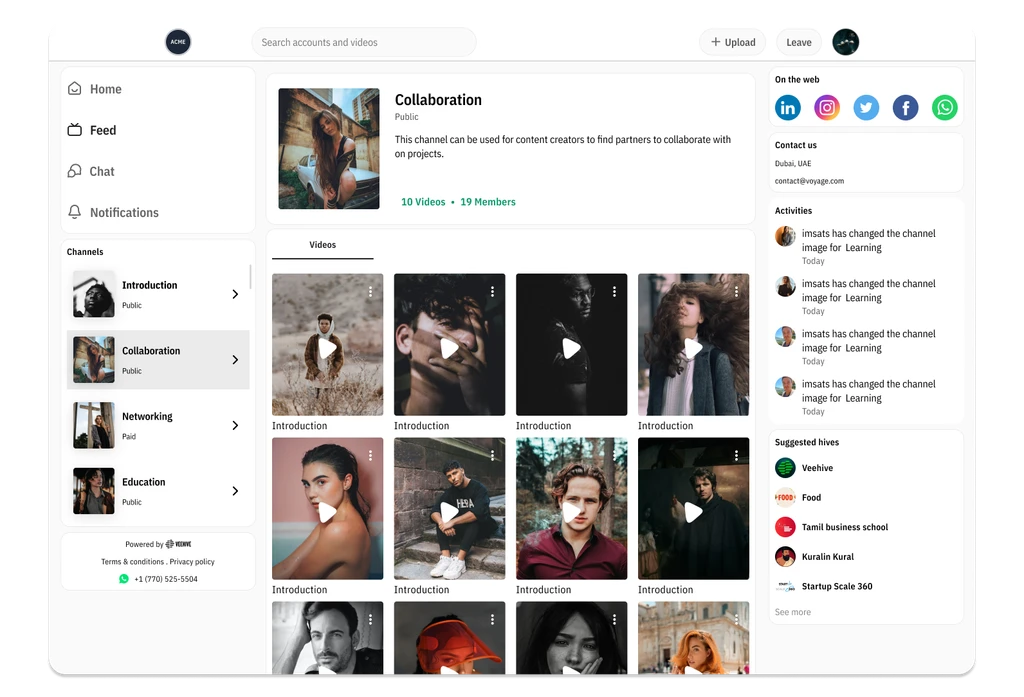
Moderator dashboard — prioritized review queue, batch actions, and role-based assignments
Reflection
Learnings & outcomes
Outcomes
- Shipped a complete PWA in 7 months covering all three user types — audience, creators, and moderators.
- Moderation review time dropped 73% through the prioritized queue and batch actions.
- The design system enabled 30% faster feature delivery across subsequent sprints.
Key learnings
- Designing for three user types simultaneously forced me to build a shared component language — what worked for the feed had to carry through to the creator dashboard and moderation tools.
- Borrowing interaction patterns from apps users already knew (TikTok, Slack, WhatsApp) dramatically reduced the learning curve — the best innovation was in combining familiar patterns, not inventing new ones.
- Running usability tests every sprint — not just at milestones — caught issues early enough to fix them cheaply.